
Result publishing
Report cards, published where families can reach them.
Report cards online for families, under your own domain, in the parent portal and sent by WhatsApp.
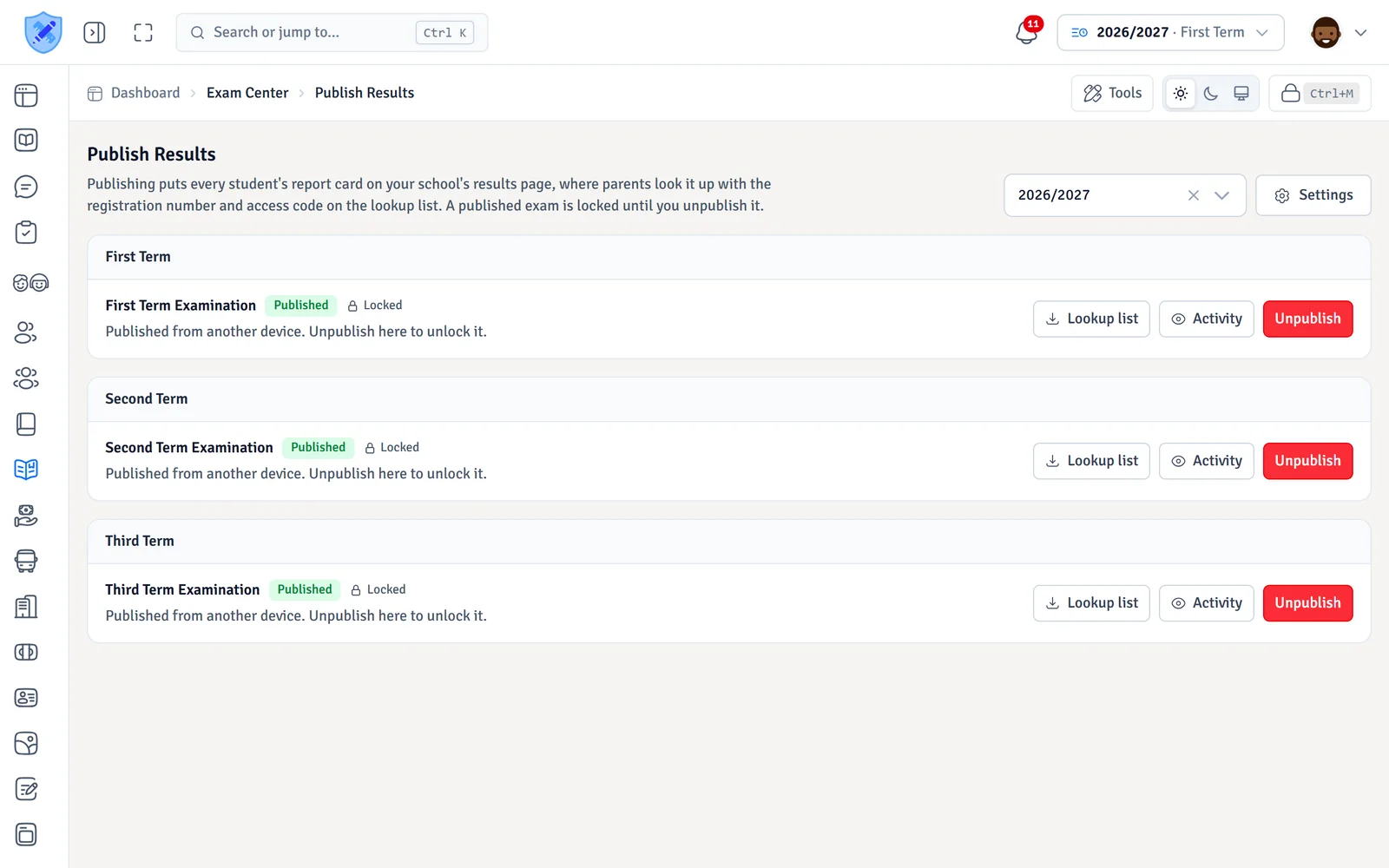
Prepare and publish
Your report cards, ready for families online.
Publish a whole exam’s report cards in the background, with invoices attached if you choose.
Family access
Share the page and the lookup details.
Families check results with a registration number and, if you require it, an access code.
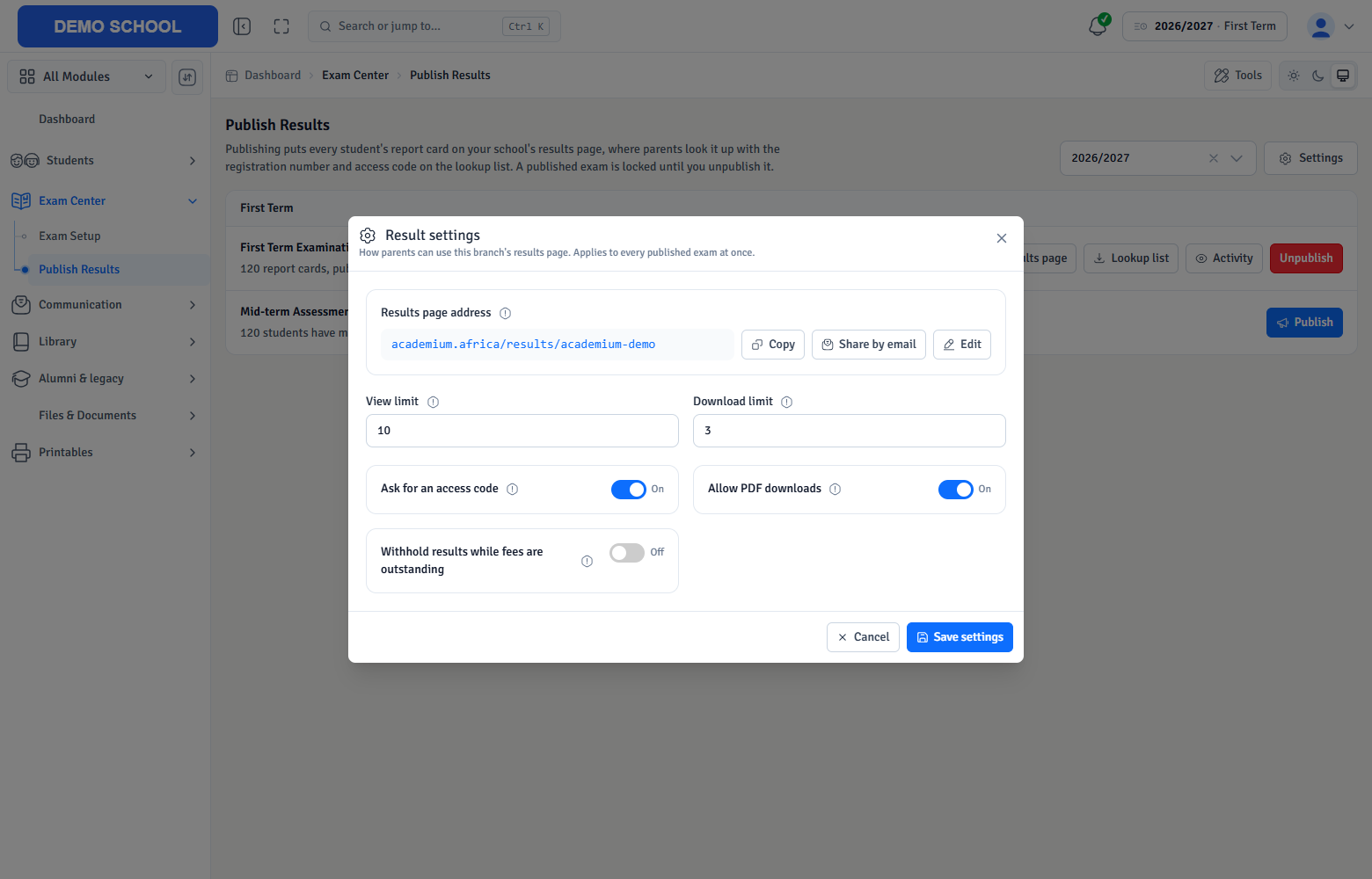
School and exam rules
Set the rules once. Adjust an exam when needed.
Set access, download limits and fee rules once, and adjust any exam.
Fee rules, if you want them. Withhold scores while fees are outstanding.
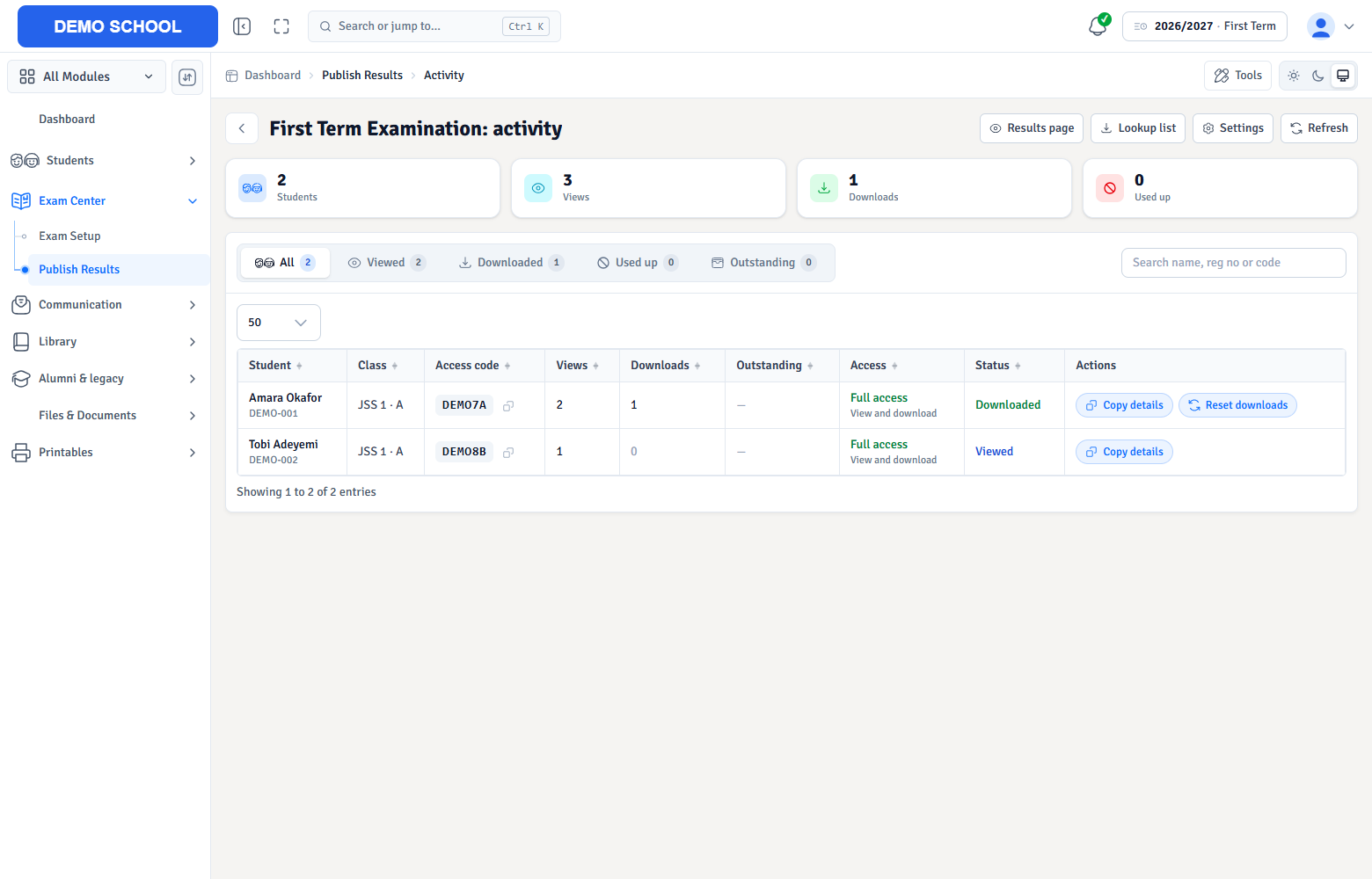
After publication
See activity and manage the next request.
See who viewed and downloaded, and renew a card when needed.
Part of one system
How Result publishing works with the rest of SMS
Publishing puts the report cards your exam centre produced where families can reach them.
- Exams & results
Receives: Authorised marks, positions, comments and report cards for each exam.
- School fees
Receives: The student’s fee invoice, added as a second page of the published result when they owe and you choose to include it.
- Document designs
Receives: The report card template chosen for each class: the published card is the same one you print.
- Parent portal
Sends: Published report cards, for parents who sign in.
- Communication
Sends: Each student’s result link, sent to their parents on WhatsApp.
- Domain & website
Sends: The results page, served under your school’s own domain when you connect one.
Publishing requires a plan that includes result publishing, an enabled module and the appropriate staff permissions. Viewing existing records and withdrawing published results have separate access rules.
Only when it is enabled for the school or exam. It is on by default. If it is turned off, the registration number alone opens the result.
Once a publish has completed and the results are on the portal, families use the online results page. Preparing and uploading a new publication needs the school installation and a working connection.
Unpublish it first, make and review the correction, then publish again. Changing marks while the published result is locked is refused.
Use result publishing in Academium SMS.
Download Academium SMS, try a demo and choose the setup that fits your school.