
Parent portal
Answers for parents, before they call.
Parents sign in on your school site and see their own children’s fees, attendance and published results, kept current from SMS.
You decide what parents see
Seven sections. Each one your choice.
You choose which of seven sections parents see.
Fees and attendance. Each fee line, recent payments and days absent.
Only published results. Report cards appear once you publish them.
Requests in one place
Requests and feedback arrive in your mailbox.
Parents’ requests and feedback arrive in the school mailbox.
Kept current
Updated from SMS every five minutes.
Updated from SMS every five minutes, with nothing a family shouldn’t see.
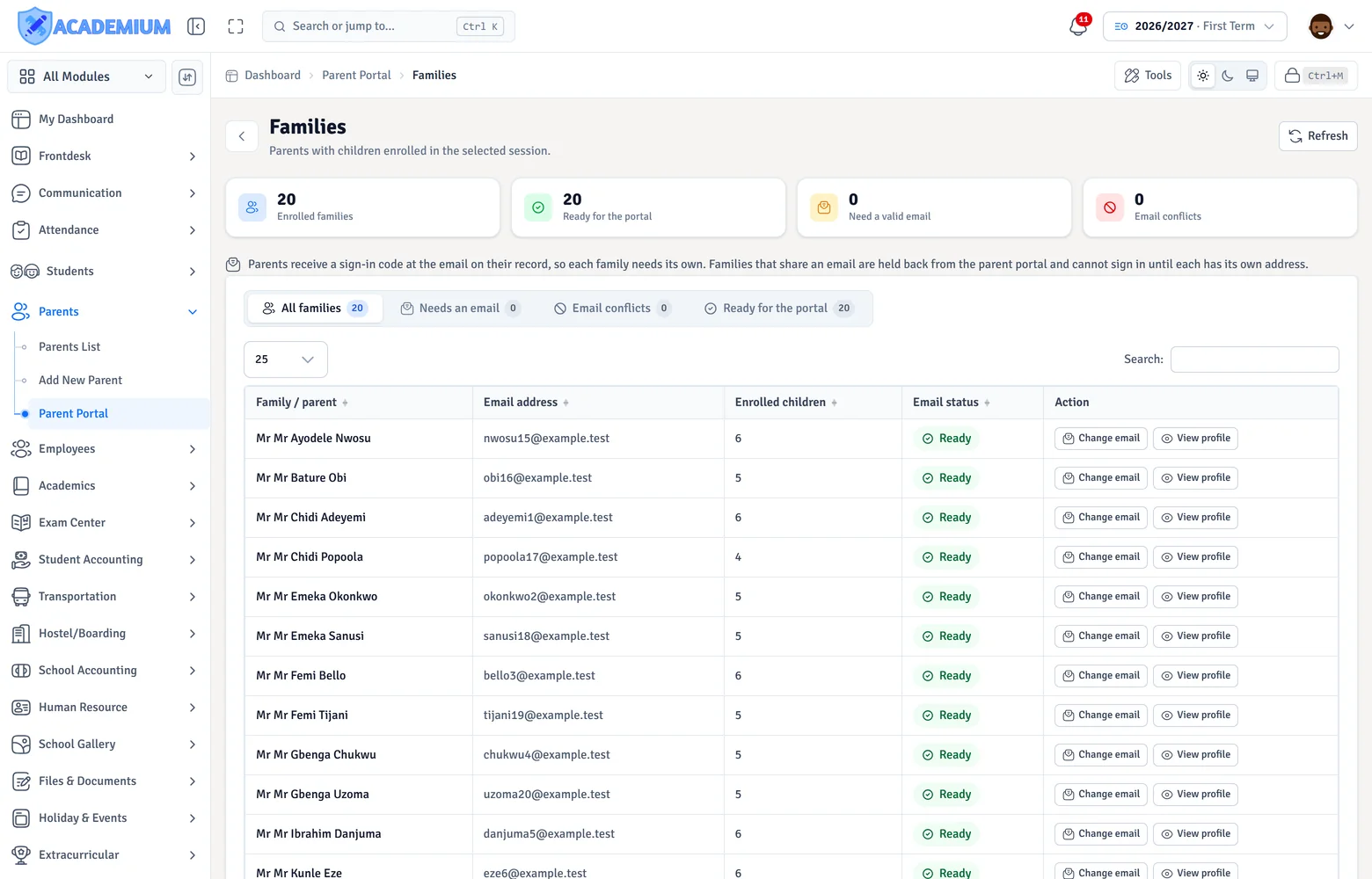
Ready before they sign in. Families missing an email are flagged.
Part of one system
How Parent portal works with the rest of SMS
The portal shows parents what SMS already holds, and their replies reach your mailbox.
- Parents & families
Receives: Each family, with the email address the parent signs in with and the children linked to them.
- School fees
Receives: Term totals, each fee line with its discount and payments, and recent payments.
- Attendance
Receives: The term’s attendance rate and the days each child was absent.
- Result publishing
Receives: Report cards, once you publish them.
- Holidays & events
Receives: Events and holidays meant for parents or their child’s class.
- Employee records
Receives: Each child’s class teacher and their school contact, while you allow it.
- Domain & website
Receives: Your school site’s address, shared with the results page, on your own domain if you connect one.
- Communication
Sends: Records requests and complaints or feedback, into the school mailbox.
With a code sent to the email address on their parent record. A family without a valid email cannot sign in until the address is added; the Families page shows which ones need attention.
It is a paid add-on and is not available on Free. Staff permissions decide who can view the portal settings, publish families, change sections or remove the published data.
No. The Results section shows report cards your school has published, and you can hide the section entirely.
Give parents a clear view of their children’s school life.
Choose the sections that suit your school and let SMS keep them current.