# Theme colour — Academium SMS
[View the HTML page](https://academium.africa/sms/features/theme-colour/)
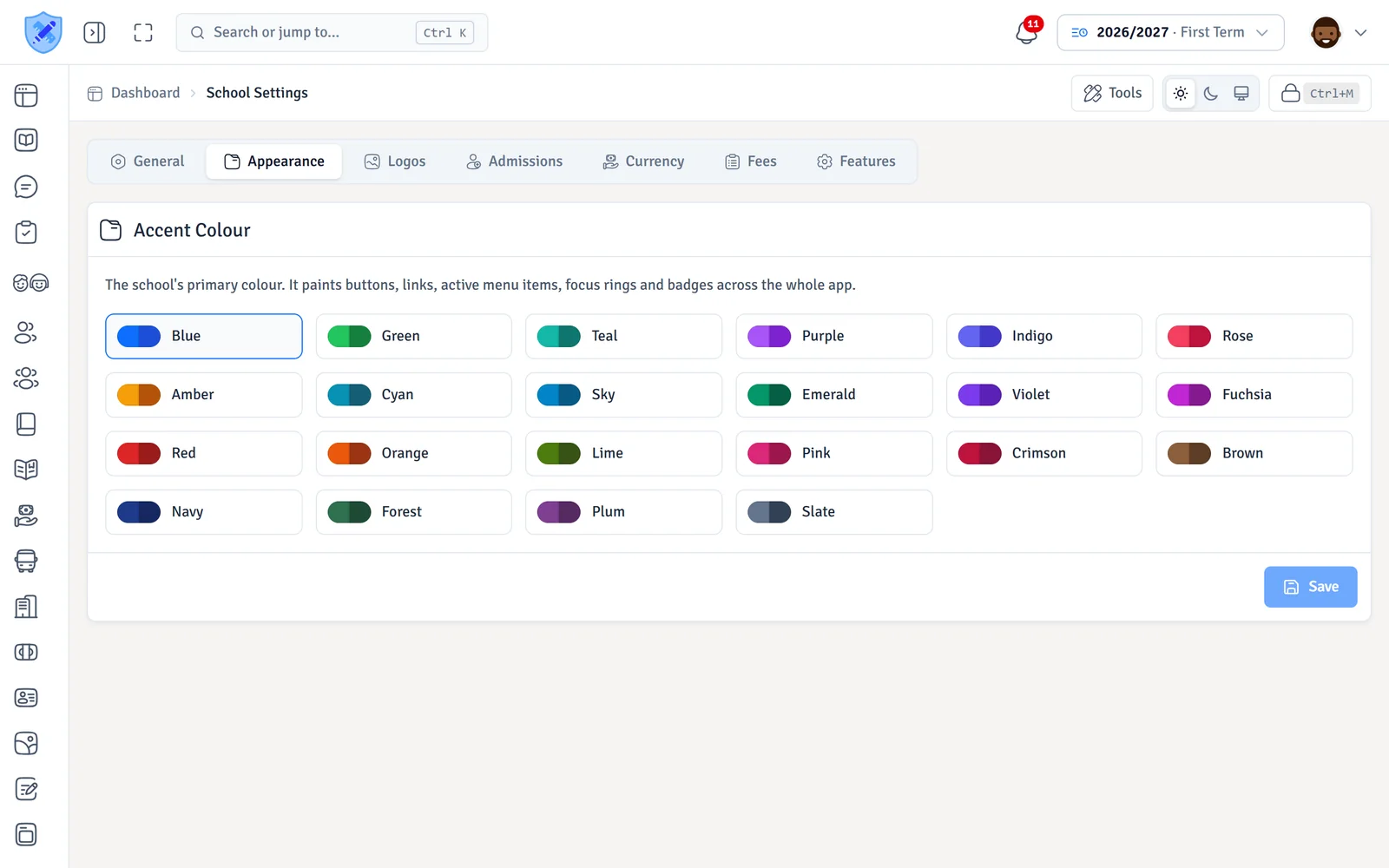
> Choose one of 22 theme colours and SMS uses it for buttons, links, the active menu item and badges across your branch.
Theme colour
## Your school’s colour, throughout SMS.
Your school’s colour across all of SMS, from buttons and menus to the sign-in screen.
[Set up your school free](https://portal.academium.africa/login?view=owner) [All SMS features](https://academium.africa/sms/features)
[](https://academium.africa/images/sms/screens/sms-20261118-hero-theme-colour-light-38785d55dd4c.webp)
Current SMS interface with fictional demo records. Open the image for a full-size view.
22 palettes
## Colours chosen to stay readable.
22 colours, each tuned so text stays readable.
The 22 palettes, each shown at its button shade.
Try before you save
## See it before anyone else does.
See it on real buttons and menus before you save.
Previewing a new accent before saving it.
Per branch
## Set once, seen at sign-in.
Each branch keeps its own colour, right through to the sign-in screen.
A fictional school; one branch changes its accent.
Part of one system
## How Theme colour works with the rest of SMS
The school sets its colour once; each person still chooses light or dark.
- [School setup](https://academium.africa/sms/features/school-setup)
Receives: The colour chosen during first-run setup.
- [School branches](https://academium.africa/sms/features/school-branches)
Sends: A colour for each branch, also used on its sign-in screen.
- [Personal preferences](https://academium.africa/sms/features/personal-preferences)
Sends: The school colour, shown in each person’s own choice of light or dark mode.
- [Printables](https://academium.africa/sms/features/printables)
Sends: One part of your school’s look, alongside its document and email designs.
FAQs
## Theme colour questions
Colouring SMS for your school.
[Still have a question?](https://academium.africa/main/page-contact)
### Who can change the theme colour?
Staff who are allowed to edit School settings. Everyone in the branch then sees the new colour.
### Can we enter our own colour code?
No. You choose from the 22 palettes, which keeps every shade readable.
## Give Academium SMS your school’s colour.
Download Academium SMS and set up your school, try a demo, or start in free mode.
[Set up your school free](https://portal.academium.africa/login?view=owner) [Explore other features](https://academium.africa/sms/features)